Crew Coordination on Tour: How to Keep 30 People in Sync
Managing a touring crew means juggling schedules, contacts, roles, and communication across cities. Here's how to do it without losing your mind.

tour-flow Team
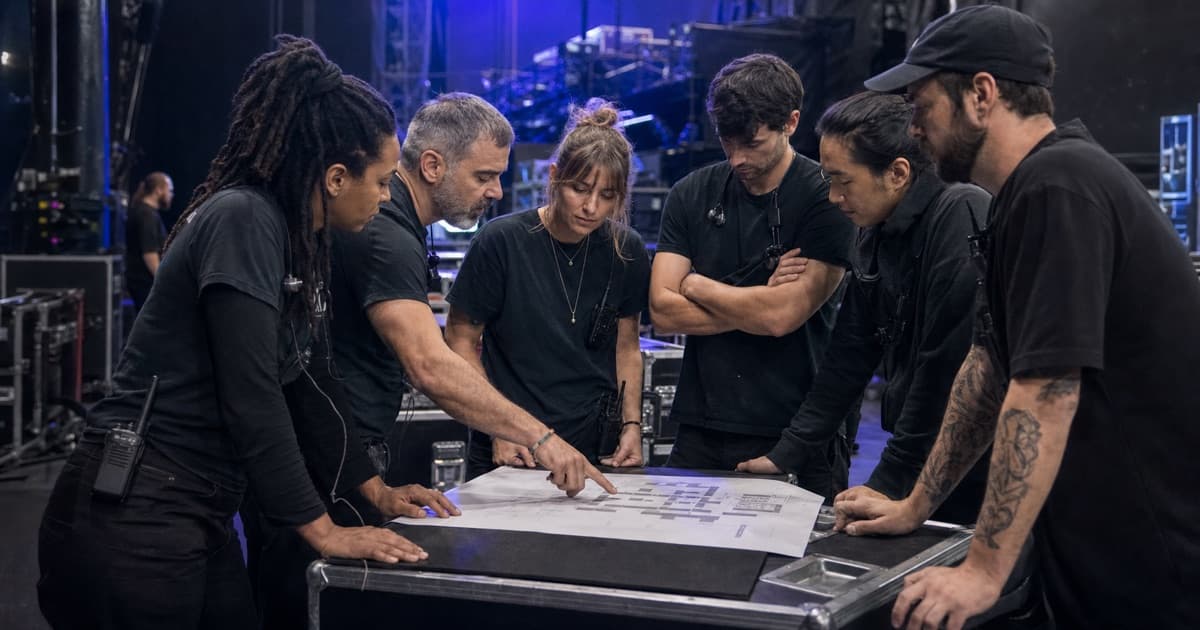
A touring crew can range from a tight five-person team to a 60-person production with riggers, caterers, and a fleet of trucks. No matter the size, the challenge is the same: everyone needs to know what's happening, when, and where — every single day.
Here's what we've learned about keeping crews coordinated on the road.
The Core Problem: Information Decay
On tour, information has a half-life. Today's schedule is already different from yesterday's. The hotel changed. Load-in got pushed an hour. The opener dropped off. The production manager needs two more stagehands.
When information lives in group chats and email threads, it decays fast. People miss messages. Old info gets forwarded as current. Someone's working off a PDF from three days ago.
The solution is a single, always-current source of truth that the entire crew can access.
Structuring Your Crew List
A good crew list isn't just names and phone numbers. It should include:
Essential Fields
- Full name and preferred name
- Role/position (Tour Manager, FOH Engineer, Guitar Tech, etc.)
- Department (Management, Audio, Lighting, Backline, Wardrobe, etc.)
- Phone and email
- Emergency contact
Operational Fields
- Dietary requirements — critical for catering and hospitality
- Passport/visa status — essential for international routing
- T-shirt size — sounds trivial until you're ordering crew shirts for 40 people
- Hotel room preferences — single, double, smoking/non-smoking
- Travel document numbers — for manifests and border crossings
Why Categories Matter
Grouping crew by department makes day-of communication much easier. When the production manager needs to reach all audio staff, or the tour manager needs to update all drivers, department-based organization saves time.
Communication Protocols That Actually Work
The Day Sheet Is Your Bible
Every crew member should receive an updated day sheet that covers:
- Travel — departure time, route, ETA
- Venue — name, address, parking, load-in door
- Schedule — load-in, soundcheck, doors, show, load-out
- Contacts — venue PM, promoter rep, local security
- Hotel — name, address, check-in time, room assignments
- Notes — anything unusual about this particular show
Distribute it the night before. Update it in the morning if anything changes. Make sure it's accessible on mobile — nobody wants to dig through email at 7 AM on a tour bus.
Escalation Paths
Not every question should go to the tour manager. Establish clear escalation paths:
- Technical questions → Production Manager → Department Head
- Schedule/logistics → Tour Manager → Tour Coordinator
- Artist needs → Tour Manager → Artist Management
- Emergencies → Tour Manager → Emergency Services
The Briefing Ritual
A quick 10-minute briefing at load-in aligns everyone:
- Today's schedule highlights
- Any changes from the day sheet
- Venue-specific notes (tricky load-in, noise restrictions, etc.)
- Department-specific callouts
Keep it short, keep it standing, keep it mandatory.
Managing Crew Across Multiple Shows
Template Inheritance
Your core crew stays the same from show to show, but local crew changes every day. Build your crew system so:
- Touring crew is defined at the tour level and inherited by every event
- Local crew gets added per-event based on the advance
- Changes propagate — when you update a touring crew member's phone number, it updates everywhere
Role Continuity
Keep role assignments consistent. If Sarah is FOH for the tour, that should be reflected everywhere — not just in people's heads. When someone new joins mid-tour, they should be able to look at the crew list and immediately understand the team structure.
Tools and Technology
The right tools make crew coordination dramatically easier:
- Centralized crew database with search and filter
- Mobile access for on-the-go reference
- Real-time updates that push to everyone simultaneously
- Role-based visibility — crew sees what they need, management sees everything
- Contact integration — tap to call or email directly from the crew list
The key is reducing friction. If it takes three taps to find the venue production manager's phone number, your system is working. If it takes opening an email, finding an attachment, scrolling through a PDF, and squinting at a tiny font — it's not.
Common Pitfalls
The "Reply All" Problem
Group emails and chat threads become unmanageable fast. Keep communication channels organized by purpose, not convenience.
The "I Didn't Get the Update" Problem
When information changes, you need confirmation that the right people received it. Read receipts, check-ins, and briefings all serve this purpose.
The "Who's in Charge?" Problem
Ambiguous authority creates confusion. Every department should have a clear lead, and every lead should know their scope of authority and reporting line.
The "Personal Phone Number" Problem
Crew members come and go. When contacts live in personal phones, they leave when the person does. Keep crew data in a shared system that persists beyond individual tours.
Coordinate Your Crew With tour-flow
tour-flow connects categorized crew lists, reusable roles, event assignments, mobile access, schedules, and updates. Build the core team once, adapt it for each date, and give everyone the operational information they need on the road.
Keep roles, contacts, and show-day changes in sync. Bring your touring crew into tour-flow