Tour Crew Management Software: A Buyer's Guide for Live Events
Choose tour crew management software for rosters, roles, contacts, requests, permissions, schedules, updates, and mobile access across live events.

tour-flow Team
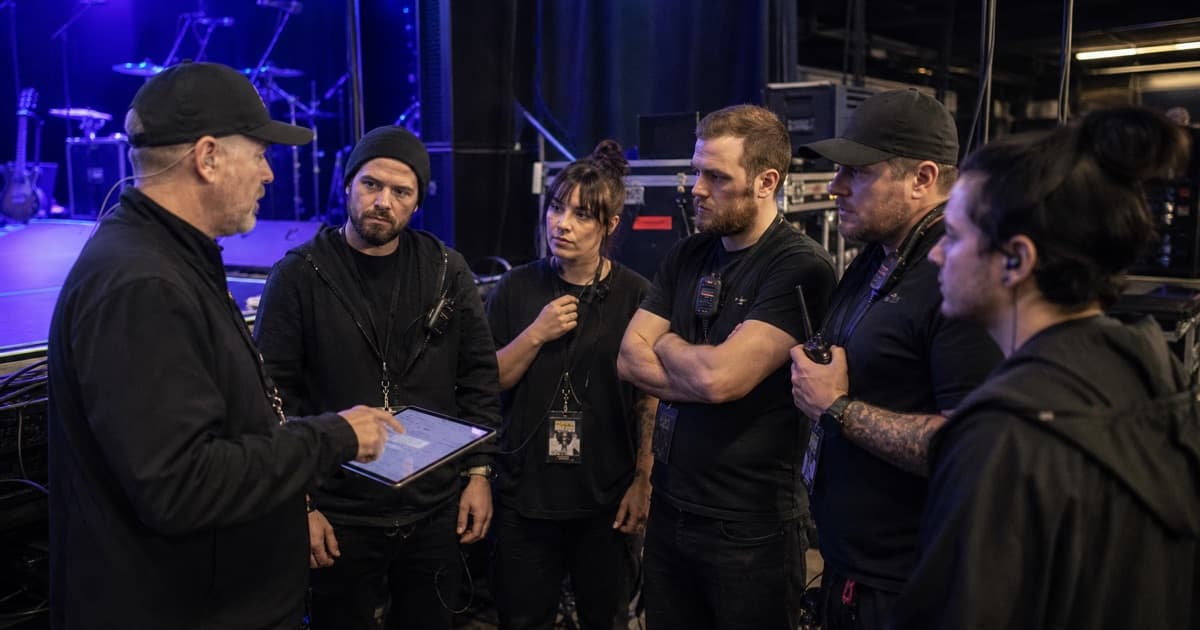
Tour crew management software should make it easier to build the touring party, staff individual dates, share the right information, and understand who has confirmed. A generic contact list is not enough, and a traditional employee rota often misses how touring teams actually work.
Use this buyer's guide to test the workflows that matter in live events.
Start With Your Crew Model
Most tours combine several kinds of people:
- Core touring crew assigned across the run
- Artists and band members
- Freelancers joining for selected dates
- Local hands and venue staff
- Workspace members who manage data
- External recipients who only need a schedule or booklet
The software should support those differences without forcing every person into the same account, permission, or employment model.
Crew Profiles and a Reusable Library
Look for persistent profiles with names, roles, departments, contact details, notes, and availability context. A crew library should make it fast to reuse trusted people across tours without duplicating stale records.
Check how updates work. If a phone number changes, can you correct the reusable profile without losing event-specific details?
Tour-Level and Event-Level Rosters
A standard touring party should be easy to apply across the route. Individual events must still support local additions, replacements, or role changes.
Test a realistic case: one FOH engineer across the tour, a substitute on one date, and eight local stagehands at a festival. The roster should remain understandable at both tour and event level.
Requests and Confirmation Status
Assignment is not confirmation. Useful crew management tracks whether someone has been requested, accepted, declined, or remains unresolved.
The response flow should work for people who do not have a full workspace account. Otherwise the tour manager returns to chasing replies in text messages.
Roles, Departments, and Contactability
The roster should answer three quick questions:
- Who is doing the job?
- Which department owns it?
- Can this person receive the update or shared material?
Visible contact and account status helps managers avoid assuming that every name on a list receives app notifications.
Permission-Aware Information Sharing
Crew need schedules, addresses, contacts, travel, hotels, and production notes. They do not automatically need financials, contracts, private notes, or other people's personal data.
Choose software that can share curated booklets or views rather than granting broad workspace access for every operational need.
Mobile Show-Day Access
Test the crew experience on a phone:
- Find today's call time
- Open the production entrance address
- Contact the right department lead
- View an updated schedule
- Open a relevant document
- Receive a change notice
If these actions are slow, the crew will fall back to screenshots and group chat.
Communication and Audit Trail
Important messages should identify the audience and keep the operational context attached to the tour or event. Managers need to know which channel was used and avoid broadcasting private information to the wrong group.
Questions to Ask in a Demo
- Can external crew confirm without a complex setup?
- Can one person hold different roles on different dates?
- Can tour rosters be customized per event?
- Can crew receive a booklet without seeing the full workspace?
- Are phone and email details protected appropriately?
- Do mobile and web show the same current information?
- Can the roster be exported or archived?
Choose for Adoption, Not Administration
The right tour crew management software reduces repeated entry and follow-up for managers while giving crew a simpler experience. It should feel like one connected part of the tour operation, not a separate HR system bolted onto show planning.
tour-flow connects reusable crew profiles, tour and event rosters, requests, shared booklets, messages, notifications, schedules, and mobile access. Bring your next touring crew into tour-flow
More Articles
Crew Coordination on Tour: How to Keep 30 People in Sync
Managing a touring crew means juggling schedules, contacts, roles, and communication across cities. Here's how to do it without losing your mind.
February 5, 2026
A Crew Onboarding Process That Works Before Day One
Build a touring crew onboarding process for contacts, documents, roles, travel details, permissions, and first-day expectations.
June 26, 2026